Guide · Hiring
How to find a QuickBooks ProAdvisor, and check the one you find.
Intuit’s public directory is the place to start, but a listing is not the whole answer. Check which certification the person holds and how current it is, read reviews for specifics, and ask who will actually work in your file.
To find a QuickBooks ProAdvisor, search Intuit’s Find a ProAdvisor directory by location, industry and software, then check, before you hire, which certification the person holds (Intuit certifies per product), whether it is current (certifications are renewed each year), and who will actually work in your file. Intuit says certification means the person passed its QuickBooks proficiency exam, and that it doesn’t guarantee any one ProAdvisor’s services, so the checking is yours to do.
Published by TechBrot.
Certifications
Current certifications held by TechBrot’s founder: Intuit QuickBooks Certification Level 2 and QuickBooks Workforce Certification — verification on request. Intuit’s ProAdvisor program becomes Intuit ProPartner Accountants in early 2027; the certifications continue.
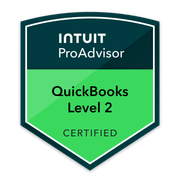
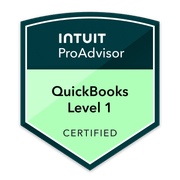

Finding a QuickBooks ProAdvisor, in five questions.
Where do I find a QuickBooks ProAdvisor?
In Intuit’s public Find a ProAdvisor search, which you can narrow by location, industry, services and software. ProAdvisors also appear on their own websites and review sites; the same checks apply wherever you find one.
How do I verify a ProAdvisor’s certification?
Ask which certification they hold (Intuit certifies per product), check that it is current (certifications are renewed each year), and ask for the Credly link for the badge, which shows the credential and its dates.
Does Intuit guarantee a ProAdvisor’s work?
No. Intuit says certification means the person passed its QuickBooks proficiency exam, and that it doesn’t guarantee the services of any one ProAdvisor.
Does my ProAdvisor need to be local?
Not for QuickBooks Online, where the work happens in your own file. Local matters when your records are mostly paper or you want meetings in person.
What should I ask before hiring one?
Which certifications and when renewed, who works in your file and who reviews it, fixed fee or hourly, where the books live, how they get access, what is excluded, how fast they reply, and what happens to your file if you part ways.
Start with Intuit’s directory.
Intuit runs a public Find a ProAdvisor search. You enter a ZIP code, town or address and narrow the results by industry, services and the software you use. It lists accountants and bookkeepers who belong to Intuit’s ProAdvisor program.
Two things the directory does not do. It does not vouch for anyone: Intuit says it “doesn’t guarantee the services of any one ProAdvisor.” And location is a filter, not a requirement. For QuickBooks Online the work happens in your own file, so a ProAdvisor in another state can do it as well as one down the road; why that is, and when it isn’t, is on finding a ProAdvisor near you.
ProAdvisors also show up on their own websites, on review sites and in search results. Treat all of those as leads. The checks below apply to every one of them, including us.
How to check a ProAdvisor’s certification.
“Certified” is a claim you can test in a few minutes.
Ask which certification, not whether
Intuit certifies per product. For QuickBooks Online it is the Intuit QuickBooks Certification, at Level 1 and Level 2; QuickBooks Desktop and Enterprise have their own certifications; payroll is covered by the QuickBooks Workforce Certification. A ProAdvisor should be able to name theirs exactly, and the one that matters is the one for the software you use.
Check that it is current
Certifications are renewed each year as the product changes. A badge that says certified with no year, or a year long past, is worth a question.
Read the badge, not the caption
Intuit’s badges say CERTIFIED for an exam that was passed, and TRAINED or GRADUATE for a course that was completed. Both are real, but they are not the same thing, and a page that mixes them without saying so is telling you something.
Ask for the verification link
Intuit issues its badges through Credly, where each badge has its own page with the credential, the holder and the issue and expiry dates. A ProAdvisor can send you the link.
Ask who will work in your file
A certified firm and a certified person on your file are different promises. Ask whether the person doing the work holds the certification, and who checks their work before it reaches you.
Sources, read 2026-10-14: Intuit, Find a ProAdvisor.
Eight questions to ask before you hire.
- Which certifications do you hold, and when were they last renewed?
- Who will work in my file, and who reviews the work?
- Is the fee fixed against a written scope, or hourly? If hourly: what is the estimate, and what happens when it runs over?
- Where will my books live? In my own QuickBooks file and subscription, or in your system?
- How will you get into my file? The answer should be an accountant user you invite, never my own login.
- What is not included? Tax filing, payroll filing, months that were never entered.
- How quickly do you reply, and how?
- What happens to my file if we stop working together?
Red flags.
“Certified”, with no product or year
Intuit certifies per product and per year. A certification that can’t be named can’t be checked.
A request for your login
QuickBooks lets you invite an accountant as a user of your file. Someone asking for your own username and password is skipping that, and taking access you can’t take back cleanly.
Moving your books to their platform
If the work happens outside your QuickBooks file, ask what you can take with you if you leave, in what format.
Presenting as Intuit, or as official support
ProAdvisors are independent businesses. Anyone who presents as Intuit, or as official QuickBooks support, is not telling you the truth.
No written scope before work starts
An open-ended hourly engagement on a messy file is how a small job becomes a large invoice. Ask for the scope and the fee in writing first.
How to read ProAdvisor reviews.
Look for reviews that describe the work: what was wrong, what was done and what changed. “Great to work with” tells you about the relationship; “found the duplicate charges and got the card account to agree with the statements” tells you about the work.
Check where a review lives. A review on a third-party site, with the reviewer’s role and the project dates, carries more weight than an unattributed quote on the firm’s own page. TechBrot’s two client reviews are on Clutch, and each is written up as a case study in the client’s own words: a first-year QuickBooks cleanup and a credit-card reconciliation cleanup.
If you would rather hire TechBrot.
This guide is neutral, and the checks apply to us. If you want TechBrot, hiring a QuickBooks ProAdvisor at TechBrot sets out the path: a free file review, a written fixed-fee scope, a discovery call, then the work. Before you sign, you receive their role, experience and credentials or licenses in writing.
Questions about finding a ProAdvisor.
Is a QuickBooks ProAdvisor the same as a CPA?
Can a ProAdvisor’s certification lapse?
What does it cost to hire a ProAdvisor?
Should I hire a ProAdvisor or a bookkeeper?
What is changing with the ProAdvisor program?
Checking TechBrot too?
Apply the same checks to us.
Tell us where the books stand. We’ll tell you which engagement fits, if any.
Tell us where the books stand. We’ll tell you which engagement fits, if any.
If we miss you, we return your call within one business day. Written fixed-fee scope within 3 business days. No hourly billing.