Historical accounting debt
How years of unreconciled entries add up to a debt the books have to repay before they can be trusted.
Read moreIndependent bookkeeping & advisory firm · Serving clients nationwide, remotely
A cleanup takes a QuickBooks file that no longer reconciles and puts it back in order inside your own file: transactions recategorised, every bank and card account reconciled, balances tied to the statements. Priced by formula, at a fixed fee in writing before any work starts.
Led by a Certified QuickBooks ProAdvisor (Intuit QuickBooks Certification Level 2 and QuickBooks Workforce Certification) — in your own QuickBooks file, 1–4 weeks for most files; complex rebuilds up to 8.
What you can check before you sign
If your file needs our paid diagnostic first, its fee is credited in full against the cleanup. Either way, you get a fixed fee in writing before any work starts.
QuickBooks cleanup fixes a file whose history is wrong. We reconcile each bank and credit-card account to source statements, investigate unmatched balances, document corrections and hand over a period-by-period exception register. Fixed fee $1,200–$15,000+ against a written scope; 1–4 weeks for most files, complex rebuilds up to 8.
They took something that felt overwhelming to me as a first-year business owner and made it simple.
What stood out the most was TechBrot Inc’s attention to detail.


| Item | Cleanup |
|---|---|
| Scope | Fixing a QuickBooks file whose history is wrong. The written scope names the period, from the last reconciliation that actually tied to the agreed end month, and every bank, credit-card and loan account inside it. |
| What you provide | Access to your QuickBooks file (for QuickBooks Online, an accountant-user invite from your own file, revocable any time) and the statements and supporting documents for each account in scope. |
| The steps | 1. File diagnostic and written fixed-fee scope. 2. Repair and reconcile. 3. Verify and document, with before-and-after evidence. 4. Handoff, with prevention recommendations. |
| An example | A bank feed was re-linked and now shows every transaction twice: the duplicates are identified and cleared, the bank rules rebuilt, and the account reconciled to its statement. |
| Not included | Months that were never entered (catch-up, priced separately), the monthly close after handoff (optional), and tax filing (your CPA, from the file we hand over). |
| Timeline | 1–4 weeks for most files, complex rebuilds up to 8: a focused single-issue repair in 1–2 weeks, a multi-issue file with a reconciliation rebuild in 2–4. |
| Done means | Every account in scope reconciles to its statement through the end date, the file passes verification (Verify and Rebuild clean on Desktop; on Online, reports that agree with the bank), and the written summary with before-and-after evidence for every fix is delivered. If a fix is still open, so is the engagement. |
| Next step | Start with the free file review or a call; the written fixed-fee scope follows within 3 business days of the diagnostic. |
| Not the right service if | Months were never entered: catch-up bookkeeping. You are moving off Desktop or another system: migration, after any cleanup. You are starting a new file: setup. The file won’t open and a deadline is days away: emergency help first. |
A 30-minute call. Your preparer reviews your QuickBooks file, identifies data-integrity issues, broken connections, and reconciliation discrepancies. Written fixed-fee scope within 3 business days.
Typical: 3 business daysFile-level repairs. Bank-feed reconnection. Reconciliation rebuild. Duplicate and missing-transaction resolution. Multi-user fixes. Version-conflict resolution.
Typical: 1–3 weeksChecked before delivery. Every fix documented with before/after evidence for your records and your tax preparer.
Typical: 2–3 business daysClean file delivered with a written summary and prevention recommendations. Optional transition to monthly bookkeeping with the same preparer.
Optional: monthly engagementA cleanup is bounded by two dates and a list of accounts. The written scope names the period — from the last reconciliation that actually tied, forward to the month we agree is the end — and every bank, credit-card and loan account inside it. Within that boundary, everything in the eight deliverables listed below is included: feeds, reconciliations, undeposited funds, duplicates and gaps, corruption and errors, multi-user, upgrade verification, and the chart of accounts. Outside it, three things are not, and the scope says so: months that were never entered at all (that is catch-up, priced separately), the monthly close after handoff (optional, same senior bookkeeper), and tax filing (your CPA, from the file we hand over).
All eight things that move the fee, and what a quote should include: how much a QuickBooks cleanup costs.
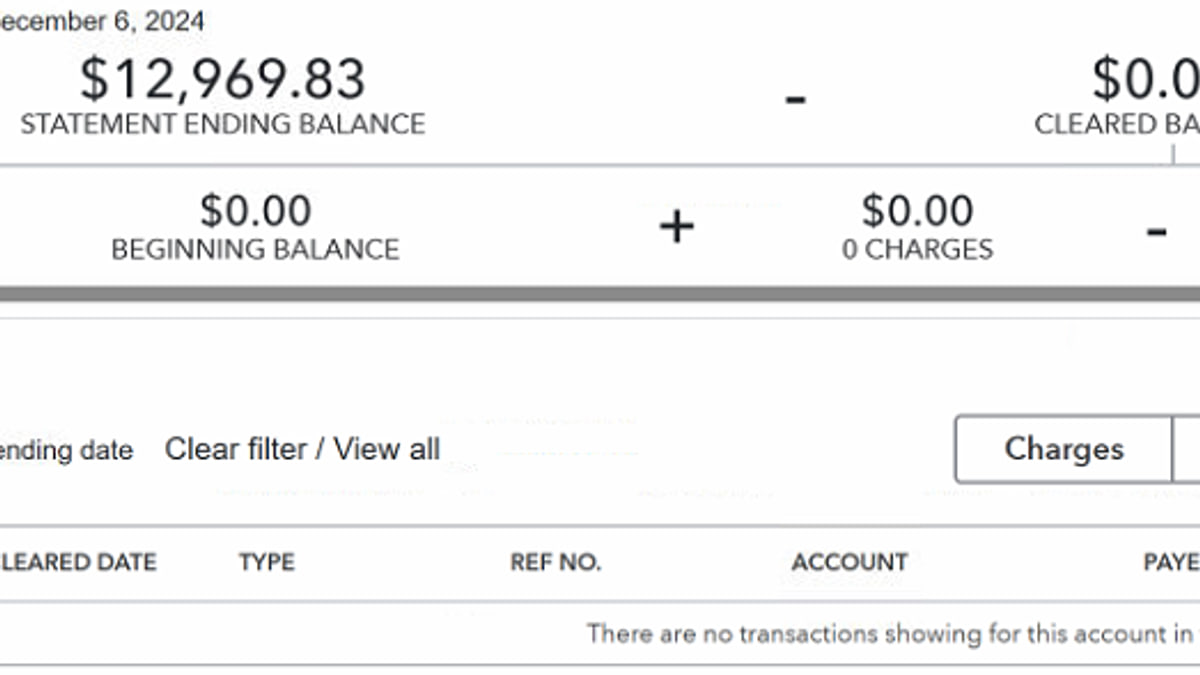
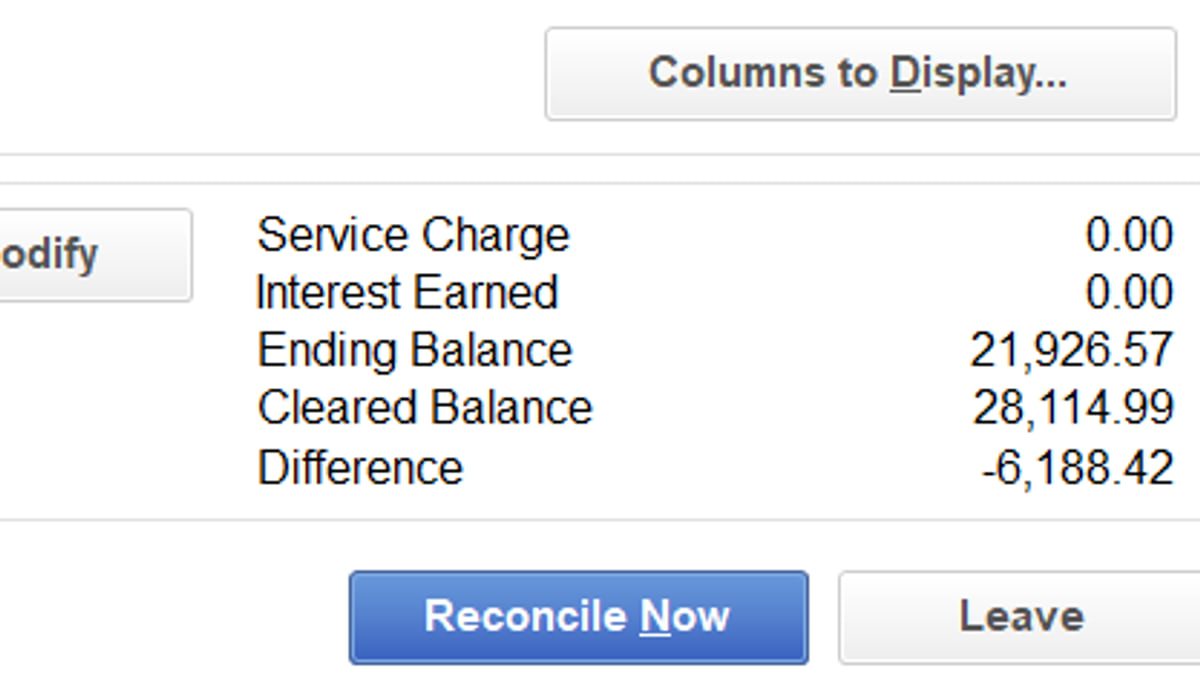
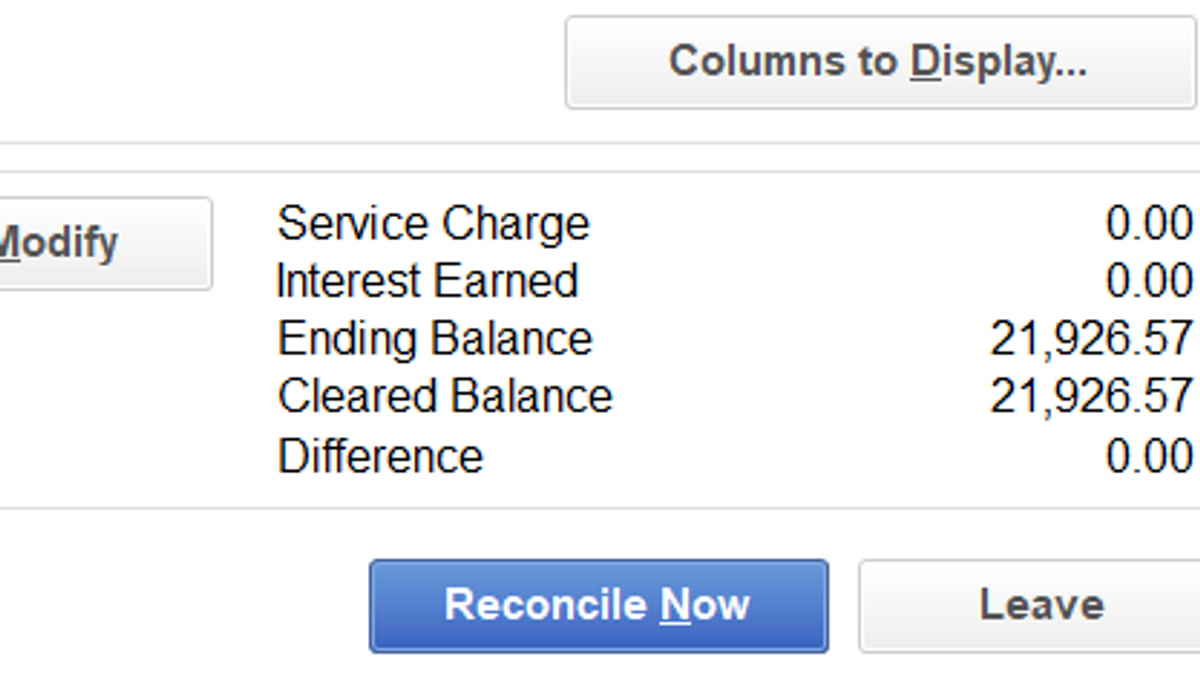
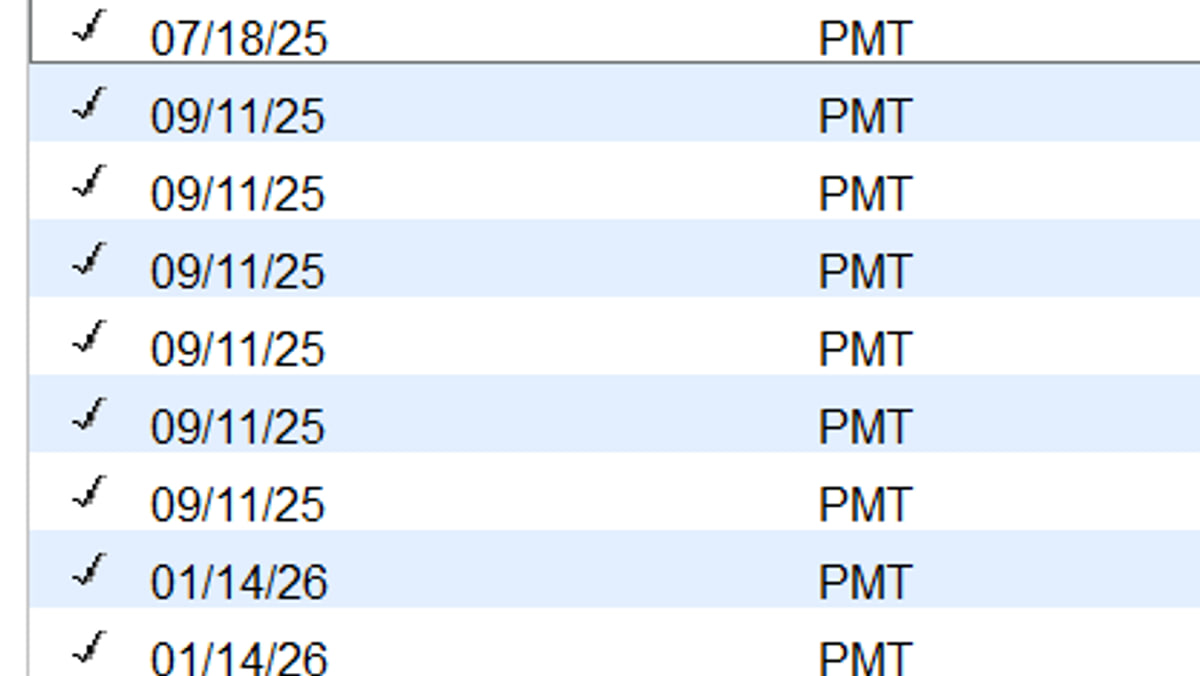
The engagement ends on evidence, not on a date. Three conditions close it. Every account in scope reconciles to its statement through the end date. The file passes verification — on Desktop, Verify and Rebuild come back clean; on Online, the reports agree with the bank. And the written summary is delivered with before-and-after evidence for every fix, reviewed by a Certified QuickBooks ProAdvisor against TechBrot’s written close standard before it reaches you. If a fix is still open, so is the engagement.
Cleanups are scoped at one to four weeks, and complex rebuilds at up to eight: a focused single-issue repair in one to two, a multi-issue file with a reconciliation rebuild in two to four. One variable drives nearly all of the difference — how far back the last reconciliation that tied sits, multiplied by the number of accounts that have to be rebuilt from that point. One account drifting for a few months is a short engagement; several accounts drifting across 12–24 months is a long one. The same variable sets the tier, which is why the fee is quoted only after the diagnostic has measured it.
TechBrot’s senior reviewer holds the Intuit QuickBooks Certification Level 2 and QuickBooks Workforce Certification, and has also completed Intuit Bookkeeping Trained, an Intuit training program rather than a certification. Verification available on request.

Three different problems get described the same way — “my QuickBooks is a mess.” They have different fixes, and buying the wrong one is the most common way a file gets more expensive. This is how we tell them apart on the discovery call.
What is in the file can’t be trusted. A reconciliation difference that grows every month. A bank feed that was re-linked and now shows every transaction twice. An undeposited-funds balance nobody can explain. Corruption warnings, users locked out. The months are there; the numbers inside them aren’t right. Cleanup repairs the file — root cause first, then each reconciliation rebuilt, account by account, back to a baseline that ties to the bank. What it is not: it does not enter months that were never done, and it does not carry the books forward afterwards. Both are separate engagements, named in the scope before any work begins.
Nothing has been entered since a known point, but what was entered is sound: the chart of accounts works, prior periods were reconciled, and the last clean month is simply months ago. That is catch-up bookkeeping, priced per month of backlog rather than by file damage. What it is not: a catch-up doesn’t correct the periods that were done. If the last “reconciled” month never actually tied to the statement, that part is cleanup, and the diagnostic scopes the two in order — cleanup first, then the missing months.
The file won’t open. H202 is blocking every workstation and payroll is due Friday. A lender wants statements by Monday and the close can’t run. That is emergency QuickBooks help: a fast, narrow engagement whose only job is to get the file working and the deadline met. What it is not: a rescue does not clear the reconciliation drift underneath. It stops the bleeding; the cleanup is scoped afterwards, from a file that opens.
Not sure whether to repair the file or begin again? Cleanup or start a new file? sets out how to decide. The cost side is in how much a QuickBooks cleanup costs.
Cleanup unwinds the file-level compounding reconciliation drift — here is the before and after, dimension by dimension.
| Dimension | Before cleanup | After cleanup |
|---|---|---|
| Bank feeds | Broken, duplicated, or syncing wrong transactions | Reconnected cleanly, rules rebuilt, duplicates cleared |
| Reconciliation | Won’t balance, drift grows monthly | Reconciled to statements, root cause documented |
| Undeposited funds | Months of stuck open items | Resolved or documented to a justified balance |
| File integrity | Errors, corruption warnings, lockouts | Clean file, validated, rebuild-tool verified |
| Multi-user access | Users locked out, mode switching constantly | Stable multi-user mode, permissions audited |
| Reviewer credentials | Can’t trust the numbers, won’t close the month | File works, books close, statements stand up |
Three tiers; ranges are typical, final pricing follows the diagnostic. If your cleanup also needs bookkeeping reconstruction across prior periods, see bookkeeping cleanup — the engagements pair seamlessly.
Cleanup = months in the period × 25–35% of the monthly fee for the same volume and accounts × the file's condition (1.0 reconciled, 1.25 partly reconciled, 1.6 never reconciled), from $1,200. For example, 14 months × 30% of an $800 monthly fee × 1.6 (never reconciled) = $5,376. The fixed fee is confirmed in writing before work starts.
Every TechBrot QuickBooks cleanup is delivered by TechBrot, remotely, in your own QuickBooks file, led by a Certified QuickBooks ProAdvisor (Intuit QuickBooks Certification Level 2 and QuickBooks Workforce Certification). Every engagement is reviewed before delivery.
The standard, every fileEvery engagement runs on three roles: a client advisor who scopes it and stays your point of contact, a senior bookkeeper who prepares your setup and monthly close in your software, and a Certified QuickBooks ProAdvisor who reviews every close before it reaches you. A U.S.-based bookkeeper is available on request; we can share their public directory profile with you.
Senior bookkeepers who specialize in rental portfolios and Xero, and specialist partner practices for trust accounting for law firms and CFO advisory. We bring the right one onto your engagement when your business calls for it, under the same standards and review.
How years of unreconciled entries add up to a debt the books have to repay before they can be trusted.
Read moreWhy a small reconciliation gap grows every month, and where in the file to look for the first one.
Read moreNot sure a cleanup is warranted? The six problems a ProAdvisor checks for in a messy file — plus a free ten-minute file review to test your own file first.
Read moreIf the file issues are paired with messy or inaccurate books, bookkeeping cleanup is the broader engagement — often combined with file cleanup.
The engagementDesktop-to-Online or other software-to-QuickBooks migrations by a QuickBooks ProAdvisor with data-integrity verification.
The engagementIf the file is beyond repair or you’re starting fresh, setup rebuilds it correctly from the chart of accounts up.
The engagementIndependent ProAdvisor guidance on specific QuickBooks issues, errors, workflows, and best practices.
The engagementIntuit’s own bookkeeping service and TechBrot, compared side by side — model, scope, payroll, sales tax, and independence — before you choose who cleans up the file.
The engagementFor former Bench customers after the 2024 shutdown: the alternatives ranked by four public checks, including where a cleanup comes first.
The engagementThe same engagement, written for the state’s own rules — sales-tax, payroll and registration wrinkles included. Delivered remotely in your own QuickBooks file; every state is served from the state directory.
Also in: Arizona · Colorado · Delaware · Georgia · Illinois · Kentucky · Louisiana · Massachusetts · New Jersey · Ohio · Pennsylvania · South Dakota · Tennessee · Virginia · Washington.
By industry: SaaS · Agency · Retail · not sure where your file stands? Start with the free QuickBooks file review · moving off Desktop? QuickBooks Desktop to Online migration.
Most QuickBooks cleanup engagements complete in 1 to 4 weeks; complex rebuilds take up to 8. Focused single-issue cleanups (bank-feed repair, reconciliation rebuild, a damaged chart of accounts) typically complete in 1–2 weeks. Multi-issue cleanups with reconciliation rebuild and historical transaction work take 2–4 weeks. The timeline is fixed in the written scope before work begins.
QuickBooks cleanup is priced by scope, not by hour. Focused single-issue cleanups: $1,200 to under $3,000. Standard multi-issue cleanups: $3,000 to under $7,500. Complex multi-year file rebuilds with data-integrity work: $7,500–$15,000+. Every engagement is fixed-fee against a written scope.
QuickBooks file cleanup focuses on the file itself — bank feeds, reconciliation, corruption, multi-user, version conflicts. Bookkeeping cleanup is broader — it reconstructs accurate financials from a messy state. An engagement can combine both.
Yes — your work is handled by a QuickBooks ProAdvisor, and TechBrot’s senior reviewer, a Certified QuickBooks ProAdvisor, holds the Intuit QuickBooks Certification Level 2 and QuickBooks Workforce Certification. The same standard applies to every product.
Intuit product support resolves software-level issues — installation, billing, account access. It does not perform bookkeeping work, reconciliation rebuilds, or data-integrity repairs that require judgment about your transactions. TechBrot does that work independently — cleanup, reconciliation, categorization, and ongoing operational support.
The cleanup delivers a file reconciled to source statements with every adjustment documented, which is what a CPA or lender asks for. Your CPA decides what they accept. To start, book the free file review or call (877) 751-5575 to scope it.
QuickBooks cleanup is a fixed fee in one of three tiers: $1,200 to under $3,000, $3,000 to under $7,500 or $7,500–$15,000+, set by how many months, accounts and problems the file holds. The free file review tells you which tier applies before anything costs money. If the file cannot be scoped without working inside it, the paid diagnostic is from $450 for one company file and is credited in full against the cleanup. If the full cleanup is more than you can take on now, ask for a phased scope: the periods your CPA or lender needs first, each with its own fixed fee in writing.
You contract with TechBrot, Inc., a Delaware corporation, under one written scope. You always pay TechBrot, Inc. directly, by ACH or wire. TechBrot invoices every engagement. No one on our team will ask you to pay through a personal link, a gift card or cryptocurrency. TechBrot is an independent firm and is not affiliated with Intuit.
Tell us what’s wrong with the books. We’ll tell you whether cleanup, catch-up or monthly bookkeeping fits.
What happens when you call15 pages sit directly under this one. Listed alphabetically so nothing here depends on a card being chosen for it.