QuickBooks · Comparisons
Choosing accounting software is a fit decision, not a winner-takes-all.
We're Certified QuickBooks ProAdvisors, so we prefer it and say so. But these comparisons are fair: where another tool fits your business better, we tell you. Honest reads of QuickBooks against the main alternatives and against itself. Independent firm — not Intuit.
Certified QuickBooks ProAdvisor team · Independent · not Intuit · not affiliated with these tools · Fair reads — we name when a competitor fits better
Intuit certifications
Every engagement is reviewed by a Certified QuickBooks ProAdvisor (QuickBooks Online Level 2, Payroll) — verification on request. Intuit’s ProAdvisor program becomes ProPartner Accountants in early 2027; the certifications continue.
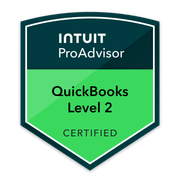
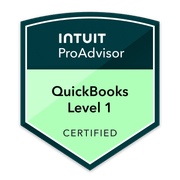
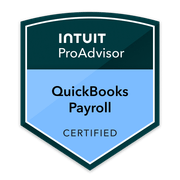
Seven fair comparisons, written by ProAdvisors who tell you the truth.
Choosing accounting software is a fit decision, not a winner-takes-all. As an independent Certified QuickBooks ProAdvisor firm — not Intuit, and not affiliated with Xero, Wave, Sage, FreshBooks, or Zoho — we have a clear preference for QuickBooks, and we disclose it. But these seven comparisons are written to be fair: each competitor’s real strengths are described accurately, and where another tool is genuinely the better fit for your business, we tell you. Five reads put QuickBooks head-to-head against the alternatives (Xero, Wave, Sage, FreshBooks, Zoho Books); two more help you choose within QuickBooks (Online vs Desktop, and the QBO plans compared). No competitor prices are quoted anywhere. Already set on switching? We can help you migrate to QuickBooks; not sure which tier fits, see which QuickBooks plan is right.
QuickBooks against the other tools.
Five honest, side-by-side reads. We prefer QuickBooks and we say so — but where one of these fits your business better, we name it.
QuickBooks vs Xero
The closest head-to-head. Xero is a genuinely strong double-entry cloud platform with clean multi-currency — we tell you the kinds of businesses where it’s the better call, and where QuickBooks’ ecosystem and ProAdvisor depth win.
QuickBooks vs Xero →QuickBooks vs Wave
Wave is free, and for a true solo side-hustle that can be the right answer — we say so plainly. We’re honest about where Wave runs out of room as you grow and what you give up at the free tier.
QuickBooks vs Wave →QuickBooks vs Sage
Sage is a broad family of products, from small-business cloud to mid-market ERP. We compare like-for-like and flag the cases where a Sage product genuinely outfits a more complex or industry-specific operation.
QuickBooks vs Sage →QuickBooks vs FreshBooks
FreshBooks is built around invoicing and is a delight for freelancers and client-services solos — we’ll tell you when that focus is exactly right, and where its lighter accounting depth becomes a ceiling.
QuickBooks vs FreshBooks →QuickBooks vs Zoho Books
Zoho Books is capable and shines inside the wider Zoho suite. We’re straight about when that ecosystem pull makes Zoho the smarter fit, and where QuickBooks’ accountant network gives you more support.
QuickBooks vs Zoho Books →Choosing within QuickBooks.
Already on QuickBooks, or set on it? These two reads help you pick the right product and the right tier.
QuickBooks Online vs Desktop
Not a slam dunk for the cloud in every case. We lay out who Desktop still genuinely suits — and why, for most businesses today, Online is the path we recommend — without pretending the trade-offs don’t exist.
Online vs Desktop →QuickBooks Online plans compared
Simple Start, Essentials, Plus, and Advanced, by capability — what each tier actually includes so you don’t overpay for features you won’t use or under-buy and hit a wall. No fabricated prices; pricing is set by Intuit.
QBO plans compared →How these tools actually differ.
Six factors decide almost every one of these choices in practice. Feature lists rarely do. Where another tool is the better answer, it says so.
| Factor | What it decides | The honest read |
|---|---|---|
| Bank-feed reliability | How much of every month is manual cleanup. | The single biggest practical difference between these tools, and the one owners never evaluate before choosing. QuickBooks Online has the broadest US bank and credit-union coverage; Xero’s feeds are competitive and its reconciliation screen is cleaner. Wave’s coverage is thinner, and a feed that breaks monthly costs more in staff time than the software ever saves. |
| Payroll in the same file | Whether payroll ties to the books without a manual journal every run. | QuickBooks Online runs payroll natively inside the same file. In the US, Xero sells Xero Payroll as a paid add-on that Xero describes as “powered by Gusto.” FreshBooks and Wave rely on outside payroll entirely. If you have employees in more than one state, this row usually decides the answer on its own. |
| Multi-state sales tax | Whether returns tie back to the books without a spreadsheet. | QuickBooks Online has automated sales-tax calculation with rate sourcing by address. Xero handles US sales tax adequately but leans on Avalara for real complexity. If you sell into several states, assume you will need a dedicated tool alongside whichever ledger you pick — no small-business ledger fully solves this. |
| Job costing & project profit | Whether you can see which job or client actually made money. | Available from QuickBooks Online Plus upward and in Desktop Premier/Enterprise. Xero has project tracking that many contractors find simpler. FreshBooks is genuinely good at time-and-materials project work for service firms — if that is your whole business and you have no inventory, it is a fair choice. |
| Inventory depth | Whether the ledger can cost inventory or you need a second system. | QuickBooks Desktop Enterprise is the deepest of these (FIFO, serial/lot, bin locations). QuickBooks Online Plus handles basic quantity tracking. Zoho Books and Xero cover light inventory. Anything with real manufacturing or warehouse complexity needs a dedicated inventory system feeding the ledger, whichever one you pick. |
| Finding an accountant who knows it | How replaceable your bookkeeper is, and what a handover costs. | The most underrated factor. QuickBooks has by far the largest pool of US accountants and bookkeepers who work in it daily, so switching providers is straightforward. Xero’s US pool is smaller but real and growing. With Wave or Zoho Books you will spend noticeably longer finding someone, and that is a business risk, not a software one. |
QuickBooks comparison questions.
Aren’t you biased toward QuickBooks?
Which accounting software is best?
Can you help me switch or migrate?
Are you affiliated with these companies or with Intuit?
Do you only work in QuickBooks?
Do these comparisons quote competitor prices?
QuickBooks Online or Desktop — which one should I pick?
Is QuickBooks actually better than Xero?
How do I choose the right QuickBooks plan or tier?
Start with your real file
Not sure if QuickBooks is the right fit? Let's look at your actual file.
Get a free QuickBooks file review or book a discovery call. We'll look at how your books are set up today and give you a straight read on whether QuickBooks fits — and if another tool fits you better, we'll tell you. No pitch.
TechBrot is an independent bookkeeping and advisory firm — not a CPA firm (no audits, reviews, compilations, or tax filing) and not an Intuit affiliate. QuickBooks and Intuit are registered trademarks of Intuit Inc.